
Quick Leads
How To Open Gerber Files | Ultimate Beginners Guide
Introduction: Why You Need to Understand Gerber Files
If you’re new to electronics, you’ve probably heard the term “Gerber files” when it comes to printed circuit boards (PCBs).
Whether you’re just getting started with PCB design or you’ve received Gerber files from a manufacturer, it’s essential to know how to open and view these files.
Gerber files are the blueprint of your PCB. Without them, it’s almost impossible to manufacture your board correctly. In this guide, I’ll show you how to open Gerber files and give you a good foundation for managing them effectively.
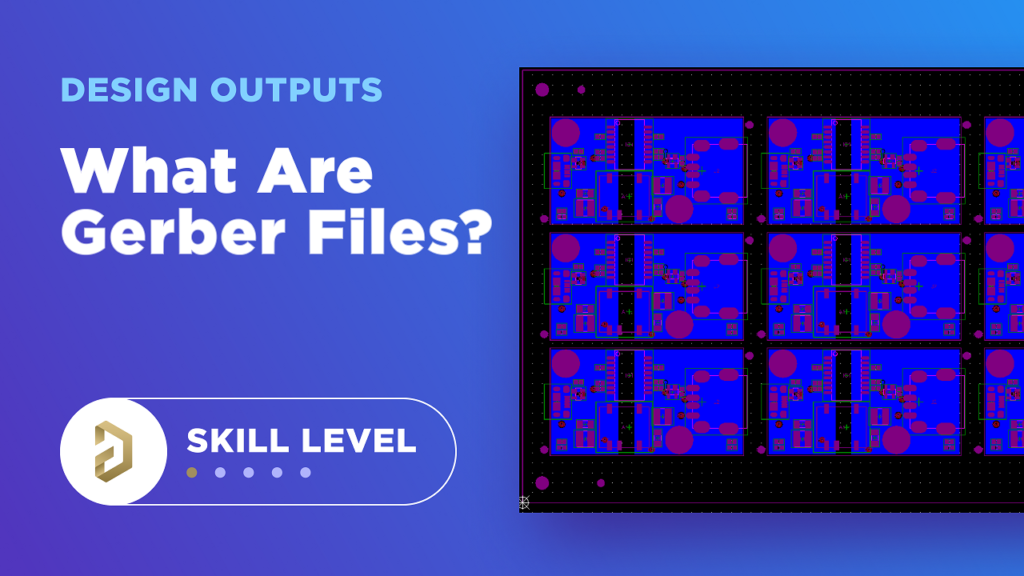
What Are Gerber Files?
Why Do You Need Gerber Files Instead of Schematics?
How to Open Gerber Files: A Step-by-Step Guide
1. ViewMate:
- Download and Install: ViewMate is a free Gerber viewer that a lot of people use. Go to the official website and download it. Then install it on your computer.
- Open Gerber Files: After you install it, open the software. Click on “File” and then “Open” to load your Gerber files. You can look at each layer by itself and zoom in to see the details.
- Check for Errors: Use ViewMate’s tools to look for problems in your PCB design.
2. Gerbv:
- Download and Install: Gerbv is another free option available for Windows, Linux, and Mac OS. It’s open-source and easy to use.
- Open Gerber Files: Launch Gerbv and open your Gerber files by dragging and dropping them into the interface or using the “File” > “Open” menu.
- Inspect Layers: With Gerbv, you can turn each layer of your PCB on and off so you can look at it.
3. Altium Designer:
- Why Use Altium: Altium Designer isn’t free, but it’s a professional tool that has a lot of features for designing PCBs and looking at Gerber files.
- Opening Files: Open Altium Designer, go to “File” > “Import Wizard” and select your Gerber files.
- Advanced Features: You can look at your Gerber files with Altium. If you need to, you can even change them. It’s a complete solution for designing PCBs.
4. Online Gerber Viewers:
- Convenience: If you don’t want to install software, you can use an online Gerber viewer like the one from PCBWay. You can upload your files and look at them right in your web browser.
- How to Use: Simply upload your Gerber files to the viewer, and it will display your PCB design.
How to Convert Gerber Files to PDF
1.Online Conversion Tools: Sites like DocHub let you drag your Gerber file onto the page, and it’ll turn it into a PDF for you.
2.Using Software: Some Gerber viewers, like ViewMate, will let you save your Gerber files as a PDF right from the software.
Limited Time Offer:
Get $100 off your order TODAY!
Understanding Stencil Information and Its Importance
Summary
Request for Quote
RECENT POSTS

How to Choose a Reliable PCB Manufacturer in China [2026 Expert Guide]
Learn how to choose a reliable PCB manufacturer in China. Get expert insights into turnkey

Why Low MOQ PCB Manufacturing is a Game-Changer for Hardware Startups in 2026
Discover how low MOQ PCB assembly empowers hardware startups in 2026 with fast prototyping, full
RELATED POSTS
Leading PCBA Manufacturer
✅ Assemble 20 PCBAS for $0 ✅ Get $100 OFF – Risk-Free Trial!
✅ 100+ Satisfied Customers
✅ Ensured Quality & On-Time Delivery
✅ Free Trial, No Commitments!