
Quick Leads-PCBA

 Looking for full-service PCB Assembly?
Turnkey solutions from PCB manufacturing to testing.
sales@unitcircuits.com
Introduction
Engineers spend weeks perfecting a PCB design—only to watch production stall because of an incomplete or unclear BOM. Missing part numbers, vague package data, or “to be decided” entries cause endless email loops, late quotes, and missed deadlines. In this guide, I’ll show you exactly how to prepare a PCB BOM for assembly that manufacturers can use immediately—one that prevents delays, controls cost, and keeps your project moving.
What Should a PCB BOM Include?
A proper PCB BOM for assembly must include: (1) Designator – each component’s reference location; (2) Quantity – the exact number of parts used; (3) Manufacturer & Part Number – for sourcing accuracy; (4) Description & Package Type – e.g., 100nF 0805 capacitor; (5) Footprint – the PCB land pattern; and (6) Notes or DNP/DNS markings to clarify components excluded from placement.
A BOM that covers all these details allows your assembly partner to quote accurately, check availability, and even suggest drop-in replacements when components face EOL or allocation risk.

Why BOM Quality Directly Impacts Production
A BOM isn’t just a parts list—it’s your manufacturing DNA. The cleaner and more complete it is, the fewer questions your assembler has to ask. A clear BOM shortens the RFQ cycle, avoids rework, and ensures your SMT line or through-hole station can run uninterrupted.
How to Construct a BOM for Turnkey PCB Assembly
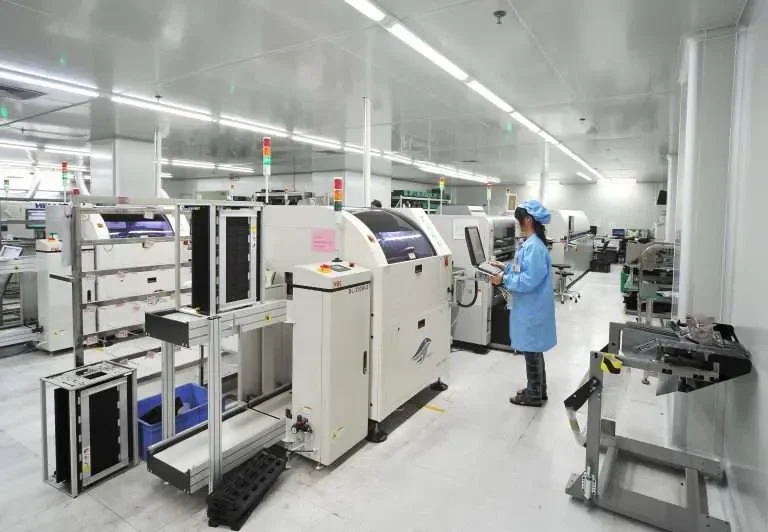
When you order turnkey PCB assembly, your manufacturer sources components, assembles boards, and handles inspection. To make this smooth, prepare your BOM in a consistent, machine-readable format such as Excel or CSV.
Step 1: Use Standardized Columns
| Column | Description | Example |
|---|---|---|
| Designator | Reference ID on PCB | R101, C22 |
| Quantity | Number of units per board | 10 |
| Manufacturer | Original component maker | Murata |
| MPN | Manufacturer Part Number | GRM188R71C104KA01D |
| Description | Type / Value / Tolerance | 100nF 16V ±10% X7R |
| Package | Footprint type | 0603 |
| DNP | Do Not Place indicator | YES/NO |
| Notes | Additional instructions | Preferred supplier, alternate allowed |
Step 2: Match File Naming with Gerbers
Use the same project code and version for BOM and Gerber files. Consistency avoids confusion when multiple revisions circulate between design and assembly teams.
Step 3: Include Alternate Parts When Possible
Component shortages remain a global issue. If you include alternate part numbers or parametric ranges, your manufacturer can maintain delivery without sacrificing electrical performance.
Step 4: Validate Footprints
A footprint mismatch can destroy yield. Before release, cross-check your CAD library against your assembly vendor’s footprint standards (IPC-7351 guidelines). Many manufacturers—like JLCPCB, PCBWay, or Sierra Assembly—publish downloadable footprint libraries for reference.
You can also use advanced CAD tools such as Altium Designer’s Report Manager to generate standardized BOMs directly from design data (Altium’s official BOM guide).
Unit Circuits: Leading PCBA Manufacturer
 ISO-certified & 8+ years of PCBA Low MOQ & Fast Turnaround Prototype & Mass production
Limited Time Offer:
Get $100 off your order TODAY!
sales@unitcircuits.com
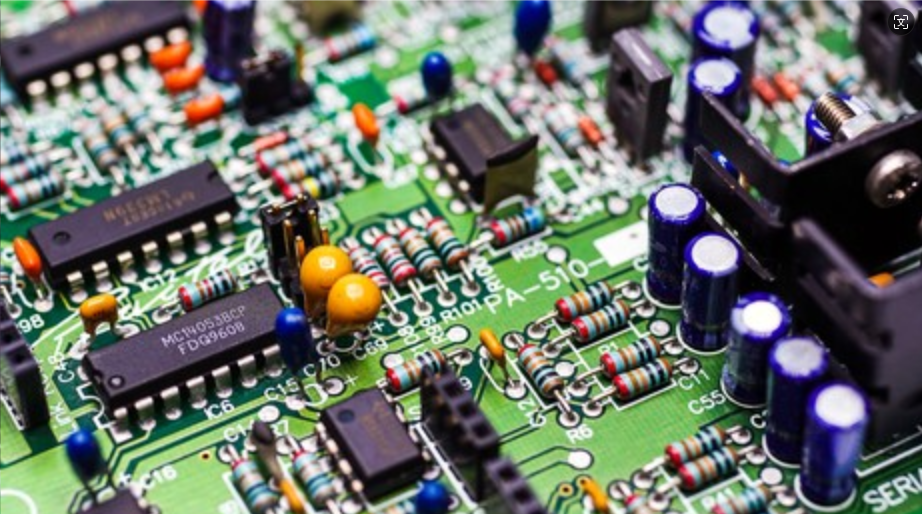
Key Industry Pain Points and How We Solve Them
1. Incomplete BOM Information Causes Quotation Delays
Missing part numbers or generic descriptions like “10uF capacitor” leave procurement teams guessing. Each clarification adds hours.
Our solution: we enforce a structured BOM checklist before quotation. Each field (MPN, tolerance, voltage rating) is verified through an automated parser that flags incomplete entries, saving days of back-and-forth.
2. Poorly Defined SMT and Through-Hole Parts Lead to Errors
Mixed assemblies (SMT + thru-hole) often fail when BOMs don’t separate placement types.
Our solution: we categorize every component as SMT, TH, or Hand-Insert inside the BOM. This eliminates misplacement during SMT programming and wave soldering.
Long-tail keyword: bom for smt and thru hole assembly.
3. DNS/DNP Markings and Risk Control
A “DNP” comment buried in a notes column is risky—operators may miss it.
Our solution: we require a dedicated DNP column, visually flagged in our MES system. This guarantees only intended components are placed, reducing rework.
4. Prototype vs. Mass-Production BOMs
Using the same BOM for prototyping and production leads to sourcing instability.
Our solution: we help clients maintain two synchronized BOMs—one optimized for availability (prototype pcb bom) and another validated for cost efficiency (low volume pcb assembly bom).

PCB BOM Requirements for Manufacturers
Manufacturers need data that can flow directly into ERP and pick-and-place software. To ensure a seamless transition from design to production, your BOM should always align with Gerber data and CPL files. If you’d like a complete walkthrough of how these files work together for zero-error manufacturing, check out our guide on preparing Gerber and BOM files for fast, error-free PCB assembly. Here’s what makes your BOM “manufacturing-ready”:
-
Standardized format: CSV or XLS with plain text—no merged cells or hidden rows.
-
Unique identifiers: Avoid generic “R1–R5.” Each designator should be explicit.
-
One line per component: Combine identical parts but separate those with different placements or orientations.
-
Consistent units: µF, kΩ, mm—uniformly used.
-
Version control: Add revision code (Rev A, Rev B) to prevent confusion.
By providing this clarity, you reduce the chance of mispicks or sourcing delays—a critical advantage in today’s constrained supply chains.
Your BOM should align with other production outputs like Gerbers and pick-and-place files for seamless assembly (see Altium’s overview of PCB manufacturing files).
Emerging Trends in BOM Optimization
1. Turnkey PCB Assembly Services on the Rise
Turnkey models consolidate fabrication, sourcing, and assembly. A complete BOM allows your vendor to quote in hours, not days. BOM for turnkey PCB assembly has become a fundamental operational standard.
As turnkey PCB assembly becomes the standard for efficiency and scalability, it’s worth understanding how this model impacts cost control and delivery speed. Our in-depth article on why turnkey PCB assembly can revolutionize your business outlines the operational and financial benefits.
2. Early Manufacturer Involvement
Manufacturers can now run cost-and-risk simulations on BOMs before production begins, suggesting alternate parts or packaging changes that cut 10–20% off material cost.
3. Digital Tools and BOM Automation
Modern platforms—such as JLCPCB BOM tool, Altium 365, and KiCad interactive BOM plugin—export fully formatted BOM files. These integrate directly into suppliers’ systems, eliminating manual typing and preventing version drift.
4. Example-Driven Technical Documentation
Google’s algorithms and engineers alike prefer concrete examples. We include screenshots and BOM templates illustrating correct DNP tagging, MPN mapping, and “one-part-per-line” formatting—details that signal real-world expertise.
PCB BOM Example and Best Practices
Here’s a trimmed-down example showing how professional BOMs are structured for PCBA manufacturing:

Note how DNP is explicitly stated. Such clarity saves hundreds of operator decisions during SMT programming.
Common Rules and Design Guidelines That Influence BOM Preparation
The 3W Rule
Trace spacing should be at least three times the trace width to prevent crosstalk and noise coupling. When you include high-speed signals, note impedance control in BOM comments to guide fabrication choices.
The 20H Rule
To minimize EMI, the power plane should retreat by 20 times the dielectric thickness from the PCB edge. Mentioning this constraint in the fabrication notes ensures stack-up consistency.
Industry Pain Point Recap
| Pain Point | Impact | Our Technical Advantage |
|---|---|---|
| Incomplete BOM | Quotation delays | Automated completeness checker |
| Undefined SMT/TH | Assembly errors | Layer-specific categorization |
| Ambiguous DNP | Placement risk | Visual DNP mapping |
| Shared Proto/Mass BOM | Cost inefficiency | Dual-tier BOM management |
These systems aren’t just process improvements—they’re reliability assurances. Every engineer wants fewer emails and faster boards. That’s exactly what these practices deliver.
Why a Clean BOM Improves Cost, Lead Time, and Yield
A clean BOM lets your supplier quote faster, buy smarter, and assemble more accurately. You spend less time clarifying and more time testing. Every minute saved in documentation translates directly into shorter cycle time and lower production cost.
FAQs
1. What is the first step in preparing a PCB Bill of Materials (BOM)?
The first step in preparing a PCB BOM for assembly is defining every component in your schematic with accurate manufacturer part numbers and package details. This ensures that when you export the BOM file for PCB assembly, your vendor can verify footprints, availability, and pricing instantly—eliminating early sourcing delays in turnkey PCB assembly projects.
2. What are common BOM mistakes to avoid before PCB assembly?
Engineers often overlook revision control, inconsistent reference designators, and missing DNP fields when creating a BOM for PCBA manufacturing. These mistakes lead to rework and cost overruns. A well-prepared electronics BOM should include consistent naming, exact part numbers, and separate prototype vs. production lists for reliable SMT and thru-hole assembly.
3. What’s the difference between a CPL file and a BOM in PCB assembly?
A BOM (Bill of Materials) lists what components to place—part numbers, values, and footprints—while the CPL (Component Placement List) defines where each part goes on the PCB. Both are required for smooth SMT assembly. Submitting both files together ensures precise pick-and-place programming for prototype and low-volume PCB assembly runs.
4. How do manufacturers calculate costs from a PCB BOM?
Manufacturers use the PCB BOM to estimate total assembly cost by analyzing component pricing, placement type (SMT or through-hole), and sourcing lead times. Accurate pcb bom requirements for manufacturers let them run automated cost simulations, identify alternatives for out-of-stock parts, and deliver faster, data-backed quotations for turnkey assembly.
Have Specific Requirements?
Looking for high-precision PCB assembly for your products? Our team specializes in delivering top-tier assembly services, ensuring your devices perform flawlessly in any environment. Contact us today for a free consultation on how we can enhance your product’s reliability.
Summary
A well-prepared BOM is the foundation of every successful PCB assembly project. It minimizes sourcing risk, improves manufacturing accuracy, and accelerates delivery. If you need help reviewing or optimizing your BOM for turnkey or prototype runs, contact us — we’ll make sure your next build starts production-ready.
Save on your next PCB project?
Claim $100 OFF your order today.
sales@unitcircuits.com
✅ high-quality PCB assembly with strict quality control ✅ ISO-certified & 8+ years of experience. ✅ Low MOQ, fast turnaround, and 100% E-tested PCBs.
Additional Resources:
- How to Repair Circuit Boards: A Step-by-Step Beginner’s Guide
- Capacitor on Circuit Board: A Comprehensive Guide
- What Are PCB Conformal Coatings? Types, Benefits, and Applications Explained
- SMD Size Codes Explained: A Complete Guide to Understanding Surface-Mount Component Dimensions
- AC vs DC: Key Differences, Applications, and Advantages in Modern Electronics
Request for Quote
sales@unitcircuits.com
RECENT POSTS
IC Boards Explained: Applications, Layout Tips, and Assembly Services
Discover what IC boards are, how they’re used in modern electronics, and how to design
HDI PCB vs Multilayer PCB: How to Choose the Right One for Cost, Signal Integrity & Manufacturing
HDI PCB vs multilayer PCB explained from a manufacturing and assembly perspective. Learn how cost,
RELATED POSTS
Leading PCBA Manufacturer
✅ Assemble 20 PCBAS for $0 ✅ Get $100 OFF – Risk-Free Trial!
sales@unitcircuits.com
✅ 100+ Satisfied Customers
✅ Ensured Quality & On-Time Delivery
✅ Free Trial, No Commitments!